Catchy Introduction – Why Local Business Owners Need a Clear Customer Journey Map Imagine a shopper in Pune walking past your bakery, checking your Google listing on a smartphone, reading a review, and then deciding whether to step inside or keep walking. Every decision point—from the first “near me” search to the final receipt—creates a …

Catchy Introduction – Why Local Business Owners Need a Clear Customer Journey Map
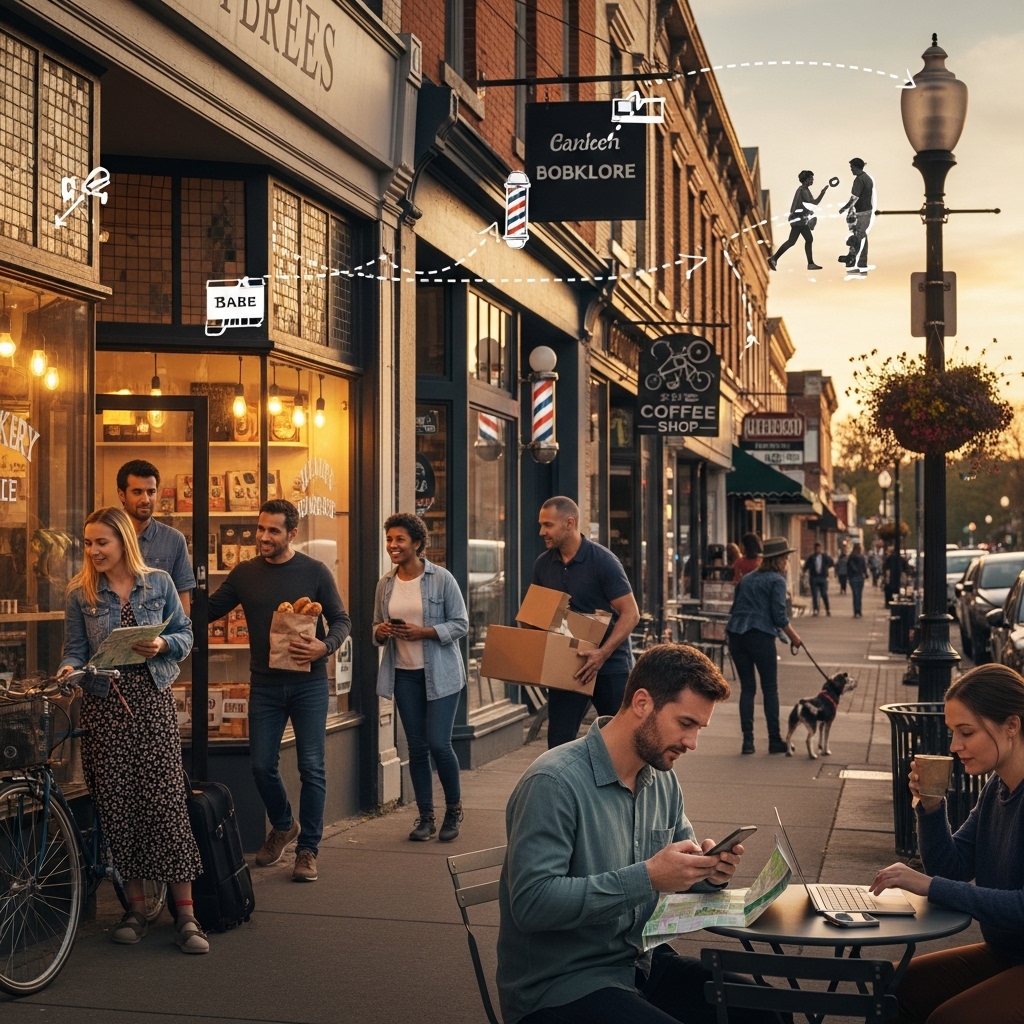
Imagine a shopper in Pune walking past your bakery, checking your Google listing on a smartphone, reading a review, and then deciding whether to step inside or keep walking. Every decision point—from the first “near me” search to the final receipt—creates a tiny story that, when stitched together, forms the customer journey. For local businesses, understanding that story isn’t just a nice‑to‑have; it’s the difference between a table that stays empty and one that’s constantly booked.
In today’s hyper‑connected world, customers expect seamless experiences across every touchpoint. They start on Google, switch to Instagram, maybe call your business, and finally walk through the door. If any of those steps feel clunky, the prospect will turn to the next “near me” option. Mapping the customer journey gives you a visual roadmap that highlights friction, uncovers hidden opportunities, and lets you tailor every interaction to the local audience you serve.
This guide walks you through the step‑by‑step process of mapping customer journeys for local businesses, from gathering data to visualizing the flow, optimizing for “near me” searches, and turning insights into profit‑driving actions. Whether you run a boutique in Delhi, a plumbing service in Hyderabad, or a yoga studio in Chennai, the strategies below will help you attract, engage, and retain more local customers.
Understanding the Basics of Customer Journey Mapping
What Is a Customer Journey?
A customer journey is the complete series of interactions a prospect has with your brand, from the moment they become aware of your business to post‑purchase advocacy. For local businesses, the journey often includes:
– Local search queries (e.g., “coffee shop near me”)
– Google My Business (GMB) listings
– Online reviews on platforms like Google and Yelp
– Social media posts and ads
– Direct phone calls or WhatsApp messages
– In‑store or on‑site experiences
– Follow‑up emails or loyalty programs
Why Mapping Matters for Local SEO
Mapping helps you:
– Identify gaps in your “near me” visibility
– Align your website, GMB, and offline experience
– Prioritize high‑impact improvements that boost local rankings
– Personalize messaging for neighborhoods, districts, or city zones
– Measure the ROI of each touchpoint with clear KPIs
Step‑by‑Step Process to Map a Local Customer Journey
1. Define Your Primary Personas
Start by creating detailed personas that reflect the real people who walk through your door. For a local business, geography, mobility, and language are critical. Example personas:
1. Busy Professional – Mumbai
Age 28‑40, uses mobile search “best lunch near Andheri”, values quick service and online payment.
2. Family Shopper – Delhi
Age 35‑50, searches “affordable kids clothing in South Delhi”, looks for parking and weekend deals.
3. Tourist Explorer – Bangalore
Age 25‑45, types “unique souvenirs near MG Road”, relies on reviews and Instagram visuals.
Document each persona’s goals, pain points, preferred channels, and typical buying triggers. This foundation ensures every step of the journey map reflects real local behavior.
2. List All Customer Touchpoints
Create a comprehensive inventory of every place a prospect can interact with your brand. Use a simple table format:
| Touchpoint | Channel | Typical Action | Local SEO Relevance |
|————|———|—————-|———————|
| Google Search | Organic “near me” query | View GMB listing | High |
| Google Maps | Navigation | Get directions | High |
| Website | Mobile landing page | Browse services | Medium |
| Social Media | Instagram story | View promotion | Medium |
| Phone Call | Direct dial | Ask for pricing | High |
| WhatsApp | Business number | Request quote | High |
| In‑store | Physical visit | Purchase or service | High |
| Post‑purchase Email | Automated | Receive receipt, loyalty offer | Medium |
| Review Platform | Google Reviews | Leave feedback | High |
Notice how many touchpoints are directly tied to “near me” searches and local listings. Those are the low‑hanging fruit for local SEO.
3. Gather Data From Each Touchpoint
Data collection is the engine that powers an accurate map. Use these sources:
– Google My Business Insights – Shows how many users found you via “near me” searches, phone calls, and direction requests.
– Website Analytics – Track landing page performance for location‑specific keywords (e.g., “plumber in Hyderabad”).
– Call Tracking – Assign a unique phone number to each campaign to measure inbound calls.
– WhatsApp Business Metrics – Monitor message volume, response time, and conversion rate.
– In‑store Observations – Ask staff to note how customers heard about you.
– Review Monitoring Tools – Capture sentiment and keyword trends in reviews.
Consolidate this data in a spreadsheet, tagging each entry with the persona, stage, and location.
4. Define the Stages of Your Local Journey
While classic funnels have Awareness → Consideration → Decision → Retention, local businesses benefit from a more granular view:
1. Awareness (Local Search & Discovery)
The prospect types “near me” and sees your GMB, ads, or social post.
2. Research (Comparison & Validation)
They read reviews, browse your website, and maybe call for details.
3. Visit Planning (Navigation & Scheduling)
They get directions, check parking, or book an appointment online.
4. On‑Site Experience (First Interaction)
The physical or virtual interaction where the purchase or service occurs.
5. Post‑Visit Follow‑Up (Loyalty & Advocacy)
Thank‑you email, request for review, or invitation to a loyalty program.
Map each persona’s path across these stages, noting the exact touchpoints they use.
5. Visualize the Journey
A visual map makes it easy for the whole team to understand. Use simple tools like Lucidchart, Miro, or even PowerPoint. Keep the design clean:
– Horizontal axis: Journey stages
– Vertical lanes: Personas or locations (e.g., “Andheri, Mumbai”, “South Delhi”)
– Icons for each touchpoint (search, call, visit, review)
– Color‑code friction points (red) and delight moments (green)
Add notes that reference key metrics (e.g., “30 % drop‑off after GMB view – need stronger CTA”).
6. Identify Pain Points and Opportunities
Analyze the visual map to spot:
– High Drop‑Off Areas – Where prospects leave the funnel. Example: 40 % of Mumbai users abandon after seeing the GMB listing because the website isn’t mobile‑friendly.
– Missing Touchpoints – Perhaps you have no WhatsApp option for quick quotes, a common expectation in Hyderabad.
– Inconsistent Messaging – If your Instagram promo says “Free Wi‑Fi” but the store lacks it, that creates friction.
Prioritize fixes based on impact and effort. Use a simple matrix:
| Impact | Effort | Recommended Action |
|——–|——–|——————–|
| High | Low | Optimize mobile site speed |
| High | Medium | Add WhatsApp Business number (9445210058) |
| Medium | High | Redesign storefront signage for local language |
7. Align Your Digital Assets With the Journey
Every digital property should support the journey stages:
– Google My Business – Keep NAP (Name, Address, Phone) consistent, add local keywords (“best bakery in Kalyani Nagar”), upload high‑quality photos, and enable messaging.
– Website – Create location‑specific landing pages, embed schema markup for local business, and ensure fast load times on mobile.
– Ads – Use geo‑targeted Google Shopping or local service ads. For product‑focused businesses, read our guide on How to Align Product Pages with Google Shopping Campaigns for best practices.
– Analytics – Set up goals that track “Get Directions” clicks, phone calls, and WhatsApp messages. Learn how to Prioritize UX Fixes That Move KPIs with data‑driven decisions.
– Personalization – Show location‑specific offers (e.g., “10 % off for residents of Banjara Hills”). Explore How to Use Personalization on Business Websites for advanced tactics.
8. Test, Refine, and Scale
Mapping is not a one‑time exercise. Adopt an iterative approach:
1. A/B Test – Try two versions of a GMB description or a landing page headline. Measure click‑through rates.
2. Monitor KPI Shifts – Track changes in local pack rankings, phone call volume, and in‑store footfall.
3. Gather Feedback – Use short post‑visit surveys (SMS or WhatsApp) to capture real‑time sentiment.
4. Update the Map – Incorporate new data, add emerging channels (e.g., TikTok for local trends), and adjust personas as neighborhoods evolve.
Practical Tips for Different Types of Local Businesses
Retail Stores (Clothing, Electronics, Grocery)
– Optimize “Near Me” Keywords – Include neighborhood names (“electronics store in Koramangala”) in meta titles and GMB categories.
– Showcase In‑Store Inventory – Use schema markup for product availability.
– Enable Click‑to‑Call – Add a prominent “Call Now” button on mobile pages.
– Leverage Loyalty Programs – Offer a digital punch card that syncs with your POS.
Service Providers (Plumbers, Electricians, Salons)
– Fast Quote Forms – Reduce friction by allowing users to submit a brief request via WhatsApp (9445210058) and receive an instant estimate.
– Geo‑Targeted Service Areas – List all neighborhoods you serve in GMB and on your website.
– Appointment Scheduling – Integrate a calendar that shows real‑time availability for each location.
Restaurants & Cafés
– Menu Optimization – Publish a mobile‑friendly menu with schema markup for dishes.
– Reservation Widgets – Offer “Book a Table” directly from Google Search results.
– User‑Generated Content – Encourage diners to post photos on Instagram with a location‑specific hashtag.
Health & Wellness (Gyms, Clinics, Yoga Studios)
– Trust Signals – Highlight certifications, insurance, and local awards on the landing page.
– Virtual Tours – Embed 360° videos of the facility to reduce uncertainty.
– Follow‑Up Automation – Send a personalized thank‑you email after the first visit, inviting a review.
Local SEO Best Practices Integrated With Journey Mapping
1. Consistent NAP Across All Platforms – Mismatched addresses confuse both users and search engines.
2. Localized Content – Blog about community events (“Diwali market in Vasant Vihar”) to attract nearby searches.
3. Schema Markup – Use LocalBusiness schema to surface opening hours, price range, and service area.
4. Mobile‑First Design – Over 70 % of “near me” searches happen on mobile; ensure fast load times (<3 seconds).
5. Online Reviews – Prompt satisfied customers to leave a Google review; respond promptly to negative feedback.
6. Backlink Building From Local Sources – Partner with local chambers of commerce, newspapers, and bloggers.
7. Social Signals – Encourage check‑ins on Facebook and Instagram; they reinforce local relevance.
Measuring Success – KPIs Every Local Business Should Track
– Impressions in Google Local Pack – Number of times your GMB appears for “near me” queries.
– Click‑Through Rate (CTR) on GMB – Percentage of users who click “Call”, “Website”, or “Directions”.
– Phone Call Volume – Track inbound calls via call‑tracking numbers.
– WhatsApp Message Conversions – Ratio of messages to booked appointments.
– Foot Traffic – Use door counters or POS data to correlate online activity with in‑store visits.
– Review Rating Trend – Monitor average rating and review count over time.
– Revenue per Visitor – Combine POS data with digital attribution to see the monetary impact of each touchpoint.
Frequently Asked Questions
What is the difference between a customer journey map and a sales funnel for a local business?
A sales funnel focuses mainly on the steps that lead to a purchase, often presented as a linear progression. A customer journey map, however, captures every interaction—online and offline—across all stages, including post‑purchase advocacy. For local businesses, the journey map also highlights location‑specific actions such as “Get Directions” clicks or “Check‑in” on social media, which a simple funnel may miss.
How many personas should a small local business create?
Start with two to three core personas that represent the majority of your foot traffic. If you serve distinct segments (e.g., families vs. tourists), add a fourth. The goal is depth, not breadth; too many personas dilute focus and make the map unwieldy.
Can I map the journey without advanced analytics tools?
Yes. Even basic data from Google My Business, phone logs, and staff observations can provide valuable insights. As you grow, consider investing in call‑tracking, Google Analytics 4, or a CRM that integrates WhatsApp messages (9445210058) for richer data.
How often should I update my customer journey map?
Review and refresh the map at least twice a year, or whenever you launch a new service, open a new location, or notice a shift in customer behavior (e.g., increased voice search). Seasonal events like festivals or local fairs also merit temporary adjustments.
What role does personalization play in a local journey?
Personalization tailors content, offers, and communication to the specific location, language, or behavior of the visitor. For example, a bakery in Kolkata might display “Special Sweet Laddus for Durga Puja” when a user from that area searches. Learn more about implementing these tactics in our article How to Use Personalization on Business Websites.
Action Plan – How to Start Mapping Your Customer Journey Today
1. Gather Your Team – Include marketing, sales, and front‑line staff.
2. Choose One Primary Persona – Pick the most profitable segment (e.g., “Busy Professional in Mumbai”).
3. List All Touchpoints – Use the table format shown earlier.
4. Collect Data for 30 Days – Pull GMB insights, website analytics, and call logs.
5. Create a Draft Map – Sketch on paper or use a free online diagram tool.
6. Identify Top 3 Friction Points – Prioritize fixes that can be implemented within two weeks.
7. Implement Changes – Update GMB, add a WhatsApp button (9445210058), improve mobile speed.
8. Measure Results – Compare KPI baseline with post‑implementation data.
9. Iterate – Expand to additional personas and locations.
Conclusion – Turn Insight Into Revenue With a Well‑Mapped Journey
For local businesses, the customer journey is not a vague concept—it is the lifeline that connects “near me” searches to real‑world revenue. By systematically defining personas, cataloguing every touchpoint, gathering concrete data, and visualizing the flow, you gain a powerful blueprint for growth. The map reveals exactly where to invest: a faster mobile site, a WhatsApp quote line, a clearer Google My Business description, or a targeted local promotion.
Remember, the journey never ends. As neighborhoods evolve, new platforms emerge, and consumer expectations shift, your map must adapt. With the right tools, a data‑driven mindset, and the expertise of STACK E SYSTEMS (WhatsApp 9445210058), you can continuously refine the experience, dominate local search results, and turn every “near me” query into a loyal customer.
Ready to start mapping? Contact STACK E SYSTEMS today, and let our team help you design a custom journey map that drives foot traffic, boosts online visibility, and grows your bottom line. Your next local customer is just a click—or a well‑optimized journey—away.