404 Page Design Ideas That Convert: A Guide to Reducing Bounce Rate and Boosting Engagement As a business owner or marketer, you're well aware of the importance of having a professional online presence. Your website is often the first point of contact for potential customers, and a well-designed website can make all the difference in …

404 Page Design Ideas That Convert: A Guide to Reducing Bounce Rate and Boosting Engagement
As a business owner or marketer, you’re well aware of the importance of having a professional online presence. Your website is often the first point of contact for potential customers, and a well-designed website can make all the difference in converting visitors into leads. However, even with the best website design, mistakes can happen, and 404 error pages can be a frustrating experience for users.
In this post, we’ll explore the importance of 404 page design, provide actionable tips on how to create a 404 page that converts, and share some inspiring examples of 404 pages that get it right.
The Importance of 404 Page Design
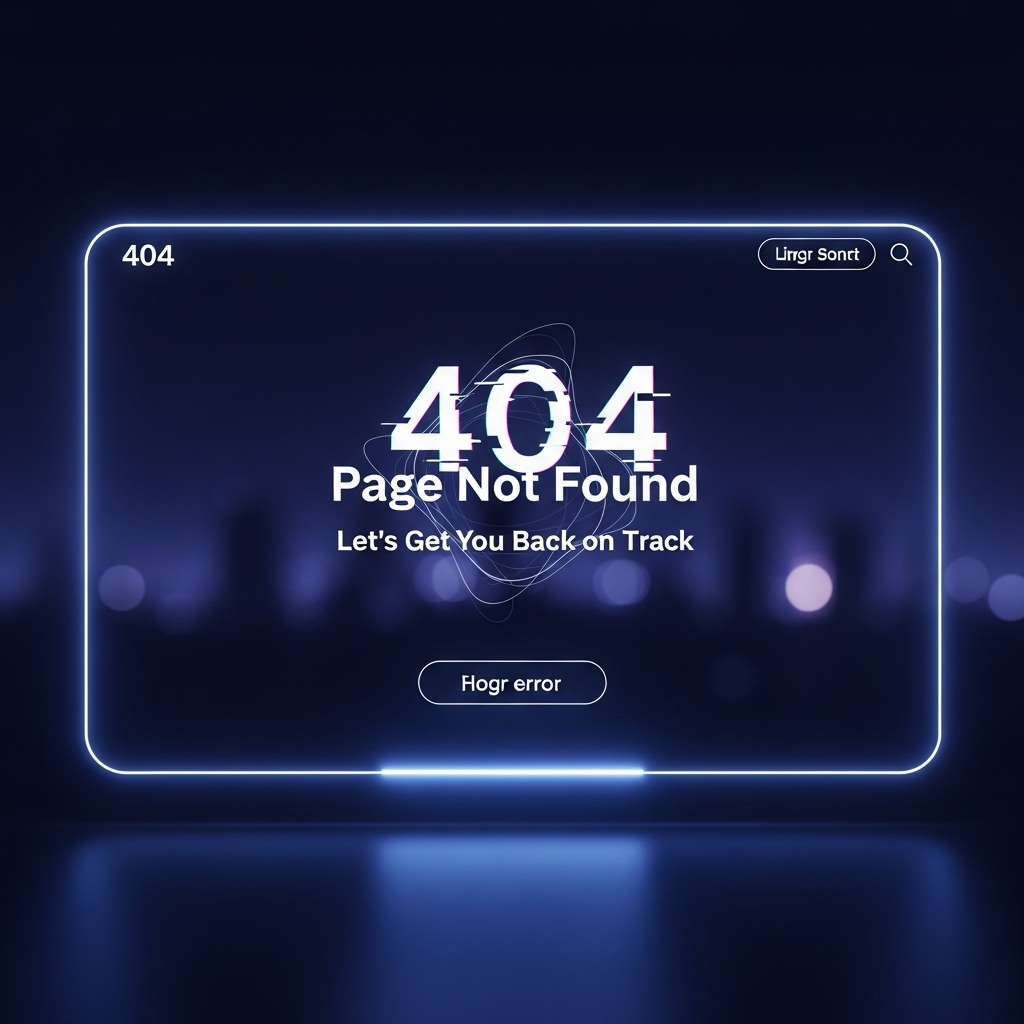
A 404 error page is a critical part of your website’s infrastructure. When a user lands on a 404 page, it’s often a sign that they’ve encountered a broken link, deleted page, or typo. A poorly designed 404 page can lead to frustration, bounce rates, and even a loss of trust in your brand.
On the other hand, a well-designed 404 page can be an opportunity to turn a negative experience into a positive one. By providing a clear message, relevant content, and a call-to-action, you can reduce bounce rates, increase engagement, and even boost conversions.
Designing a 404 Page That Converts
So, what makes a 404 page effective? Here are some key design elements to consider:
Clear and Concise Messaging
A 404 page should clearly communicate the issue to the user and provide a solution. Avoid using jargon or technical terms that might confuse users. Instead, use simple language to explain the problem and offer a way to resolve it.
- Example: “Sorry, the page you’re looking for doesn’t exist. Try searching for what you’re looking for or head back to our homepage.”
- Example: “Did you know that our latest blog post on [topic] has some valuable insights on [related topic]? Check it out and let us know what you think!”
- Example: “Try searching for what you’re looking for or head back to our homepage.”
- Example: The 404 page for Stack Systems features a playful design that incorporates our brand’s colors and typography.
- Example: The 404 page for Stack Systems is optimized for mobile devices, featuring a simple design that’s easy to navigate.
- Example: Google Analytics provides valuable insights on 404 page performance, including bounce rates, exit rates, and time on page.
- Example 1: Airbnb’s 404 page features a playful design that incorporates their brand’s colors and typography. The page also includes a call-to-action to search for listings or return to the homepage.
- Example 2: The 404 page for Stack Systems features a simple design that incorporates our brand’s colors and typography. The page includes a clear message, relevant content, and a call-to-action to return to the homepage.
- Example 3: The 404 page for Google features a minimalist design that provides a clear message and a search bar. The page also includes a link to the Google homepage.
- How to Build a Portfolio for Web Leads: https://stackesystems.in/how-to-build-a-portfolio-for-web-leads/
- Best Web Design Examples for Chennai Interior Designers: https://stackesystems.in/best-web-design-examples-for-chennai-interior-designers/
- What Makes a Website Professional: https://stackesystems.in/what-makes-a-website-professional/
Relevant Content
A 404 page is a great opportunity to provide additional value to your users. Consider adding relevant content, such as a blog post, a video, or a call-to-action. This can help keep users engaged and reduce bounce rates.
Call-to-Action
A 404 page should include a clear call-to-action (CTA) that encourages users to take action. This could be a button to return to the homepage, a search bar, or a link to a related page.
Visuals and Branding
A 404 page should reflect your brand’s visual identity and tone. Use your brand’s colors, typography, and imagery to create a cohesive design that resonates with your users.
Mobile Optimization
With the majority of users accessing the internet through mobile devices, it’s essential to optimize your 404 page for mobile. Ensure that your design is responsive, easy to navigate, and provides a seamless user experience.
Analytics and Tracking
Finally, don’t forget to track your 404 page’s performance using analytics tools. This will help you identify areas for improvement and optimize your design for better results.
Inspiring 404 Page Examples
Here are some inspiring examples of 404 pages that get it right:
Frequently Asked Questions
Q: What is the purpose of a 404 page?
A: A 404 page is used to handle errors when a user lands on a non-existent or deleted page. Its purpose is to provide a clear message, relevant content, and a call-to-action to resolve the issue.
Q: How can I reduce bounce rates on my 404 page?
A: To reduce bounce rates on your 404 page, provide a clear message, relevant content, and a call-to-action. Also, ensure that your design is responsive and easy to navigate.
Q: Can I use my 404 page to promote my brand?
A: Yes, your 404 page is an opportunity to promote your brand. Use your brand’s visual identity and tone to create a cohesive design that resonates with your users.
Conclusion
A well-designed 404 page is essential for any website. By providing a clear message, relevant content, and a call-to-action, you can reduce bounce rates, increase engagement, and even boost conversions. Remember to optimize your 404 page for mobile, track its performance using analytics tools, and provide a seamless user experience.
At Stack Systems, we specialize in creating high-ranking, search engine-focused content that drives results. If you’re looking to improve your website’s design and conversion rates, contact us today to learn more.
Get in Touch
Email: [email protected]
Phone: 9445210058
Website: stackesystems.in
Related Resources